Govee Lights: Best Smart LED Lights, Prices, Real-World Setup Insights, and Buying Guide for 2026
14 min read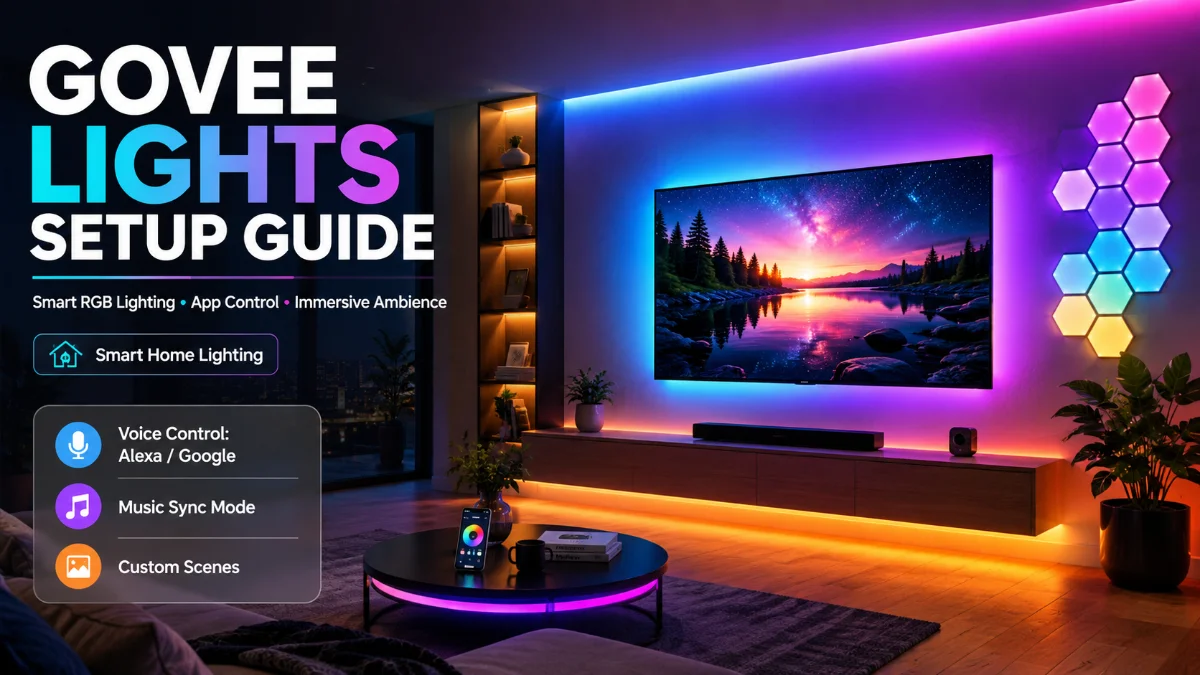
Govee lights are a strong choice for buyers who want colorful smart lighting for a bedroom, desk, TV, gaming room, or outdoor space without paying premium whole-home ecosystem prices. For most people, the best starting point is an RGBIC LED strip; upgrade to the Govee M1 for brighter, Matter-ready indoor lighting, the Envisual TV Backlight T2 for screen-reactive viewing, or Permanent Outdoor Lights for a long-term exterior installation.
Quick decision: Choose a standard Govee RGBIC strip for affordable room ambience, the M1 for a premium desk or media-wall strip, the Envisual T2 for TV immersion, Glide Hexa panels for statement wall décor, and Permanent Outdoor Lights for rooflines and patios.
Best Govee Lights by Use Case
| Best for | Recommended Govee product | Typical India price* | Why buy it |
| Budget ambient lighting | Govee RGBIC LED Strip Lights | ₹1,000–₹4,000 | Best low-cost route to multi-color room lighting |
| Premium indoor strip lighting | Govee RGBIC LED Strip Light M1 | ₹4,000–₹10,000+ | Brighter strip with RGBIC effects and Matter support on applicable models |
| TV and movie immersion | Govee Envisual TV Backlight T2 | ₹9,500–₹12,000 for some 55–65-inch listings | Dual-camera screen matching for dynamic bias lighting |
| Gaming-room feature wall | Govee Glide Hexa Light Panels | ₹10,000–₹25,000+ | Modular wall panels with animated scenes |
| Living-room or bedroom corner | Govee RGBIC Floor Lamp range | ₹8,000–₹20,000 | Indirect ambient lighting without adhesive strips |
| Exterior eaves and facades | Govee Permanent Outdoor Lights | ₹20,000–₹60,000+ | Long-run outdoor architectural lighting |
| Lamps and bedside fixtures | Govee smart bulbs | ₹1,500–₹5,000 per multipack | Practical white light plus color scenes |
*Prices are indicative and can change sharply with retailer, import costs, sales, kit length, and warranty coverage. Recent Indian listings and tracked prices for the Envisual T2 55–65-inch kit have ranged around ₹10,000–₹12,000, though some sellers display substantially higher list prices.
How We Evaluate Smart Lights
Smart-lighting products should be assessed as installed home products, not just feature lists. The most meaningful factors are brightness in the intended position, color quality, setup difficulty, app usability, responsiveness, integration support, long-term mounting reliability, and value at the actual purchase price.
This guide does not claim original hands-on testing. Its practical observations are based on documented hands-on reviews, product specifications, and recurring installation issues reported by reviewers. Published product reviews should identify their reviewer, testing period, exact models, room dimensions, setup conditions, affiliate relationships, and any supplied or loaned units.
Real-World Setup Experience: What Reviewers Report
Govee’s appeal is clear in real rooms: bright color, strong visual impact, and extensive scene options. The main trade-off is that the most immersive products—particularly camera-based TV backlights and complex multi-light setups—require more physical planning than a basic smart bulb.
Desk Setup: Govee M1 Strip
The Govee M1 is best viewed as a premium ambient strip rather than a simple decorative ribbon. Reviews highlight its dense LED layout, high brightness, RGBIC multi-zone effects, and Matter compatibility; one review specifically described it as easy to install and feature-rich, but noted that the companion app can be overwhelming because of its depth.
In a desk setup, the strip is most effective when mounted behind a monitor, beneath the rear desk edge, or along shelving where the light reflects off a wall. Directly visible LEDs can look less refined than diffused lighting, so hide the strip whenever possible.
Reported setup friction:
- Measure the cable path before removing adhesive backing.
- Clean the mounting surface thoroughly; dust and heat can weaken adhesion.
- Plan the controller location before installing the strip.
- Expect a short learning curve in the Govee Home app because of the large number of scenes and controls.
- Do not buy the M1 solely for animation effects if the strip will remain completely hidden at low brightness.
TV Setup: Govee Envisual TV Backlight T2
The Envisual TV Backlight T2 is one of Govee’s most distinctive products because its dual cameras capture on-screen color and extend it onto the wall behind the TV. Reviewers found the setup manageable after reading the instructions, but noted that installing the strips around a large screen is easier with two people and that calibration is the step requiring the most care.
A typical T2 installation involves cleaning the back of the TV, applying four connected strip sections, placing the control unit and camera, connecting to Wi-Fi, and using the app’s foam-block calibration process to map the screen edges. Reviews describe the overall installation as straightforward but caution that adhesive placement is hard to correct once committed.
What to expect:
- The ambient effect is strongest in a darker room with a light, plain wall.
- Camera calibration can feel fiddly, especially on wall-mounted TVs.
- A visible top-mounted camera may not suit minimalist interiors.
- The Govee app offers extensive effects, but its interface can feel busy for first-time users.
- Screen matching creates a more immersive effect than a static backlight, but it is not necessary for buyers who only want soft bias lighting.
Bedroom Setup: Smart Bulbs and Concealed LED Strips
A bedroom setup works best when it separates functional light from decorative light. Use Govee smart bulbs or a practical lamp for reading and routine tasks, then add an RGBIC strip beneath the bed frame or behind the headboard for soft, indirect color.
The common mistake is using an RGB strip as the room’s only source of light. Color strips make a room feel more layered, but they usually do not replace bright, well-positioned white lighting. A bedside bulb plus a hidden strip gives more flexibility: warm white for winding down, muted color for atmosphere, and low brightness for nighttime movement.
Best Govee Products Explained
Govee offers a wide range of smart lighting products for different spaces, moods, and decorating needs. Here are some of the best Govee options to consider, starting with a versatile choice that works well for most buyers.
Govee RGBIC LED Strip Lights: Best for Most Buyers
A standard Govee RGBIC LED Strip Light option is the best low-risk entry point into Govee smart lighting. It can add color behind a desk, TV unit, shelf, bed, cabinet, or mirror without requiring a major purchase or permanent electrical work.
RGBIC means separate sections of the strip can show different colors simultaneously. That makes gradients, moving effects, and multi-color scenes possible—an obvious visual upgrade over a strip that can display only one color across its full length.
Buy a standard RGBIC strip if you want:
- Affordable color ambience
- A first smart-lighting project
- Desk, shelf, or bedroom backlighting
- Scenes for gaming, music, or movie nights
Govee RGBIC LED Strip Light M1: Best Premium Strip
The Govee M1 is Govee’s higher-end strip-light option for buyers who care about brightness, dense LEDs, vivid color, and smart-home compatibility. It is especially suitable for visible desk lighting, cabinetry, media walls, and other installations where light quality matters more than merely adding color.
The M1 is Matter-compatible, giving compatible smart-home users another control path beyond the Govee Home app. One review noted Matter support, strong output, and an unusually extensive feature set for its price category. Historical retail pricing has varied considerably by length and market, so compare live local pricing rather than relying on old launch prices.
Buy the M1 if: you want a bright, feature-rich strip that may serve as meaningful supplemental ambient light.
Avoid the M1 if: you only need a hidden, low-brightness strip behind furniture. A less expensive RGBIC option will likely deliver a similar visual result.
Govee Envisual TV Backlight T2: Best for TV Sync
The Govee Envisual TV Backlight T2 is for people who want their TV wall to react to films, games, sports, and streaming content. Its dual-camera system observes the screen and adjusts the lighting around the television to match dominant colors.
The product’s best use case is a home-theater or console-gaming setup where the screen is central to the room. It is more elaborate than a conventional backlight, but the improvement is also more dramatic when correctly installed.
Buy the T2 if: you watch or play in a darker space and want a screen-reactive lighting effect. smart lighting
Avoid the T2 if: you do not want a camera mounted on your TV, your TV is far from the wall, or you only need a gentle static glow.
Govee Glide Hexa Light Panels: Best for Wall Design
Govee Glide Hexa Light Panels are decorative wall lights, not replacements for primary room illumination. Their purpose is to turn an ordinary wall into a configurable visual feature.
They suit gaming rooms, creator studios, media-room backdrops, and bedrooms where the wall is part of the décor. Before buying, sketch the layout, confirm the wall surface is suitable for adhesive mounting, and check cable routing. Modular panels look best when the arrangement feels intentional rather than randomly expanded.
Govee Floor Lamps: Best for Layered Room Lighting
Govee floor lamps are a cleaner alternative to visible strips when you want light in a corner, beside a TV console, behind a sofa, or near a bed. The best models provide indirect upward or wall-facing illumination, giving a room depth without exposing LED strips or requiring wall adhesive.
A floor lamp is ideal if you frequently rearrange furniture or rent your home. It is also easier to remove than a strip system. However, floor lamps usually work as supplemental lighting, so do not depend on one colorful lamp as the only light in a large room.
Govee Permanent Outdoor Lights: Best for Exterior Impact
Govee Permanent Outdoor Lights are designed for rooflines, eaves, facades, and long exterior runs. They are a major commitment compared with indoor strips because installation, weather exposure, mounting, and power routing all affect long-term results.
The main reason to buy them is year-round flexibility: warm white for everyday exterior ambience, colors for celebrations, and custom scenes for holidays. Measure the full route—including bends, gaps, drops, and power access—before ordering. Outdoor lighting should be selected and installed according to the exact product’s weather rating and local electrical requirements.
Govee DreamView: What It Does
Govee DreamView is the brand’s synchronized-lighting concept for extending TV-screen colors or music effects across compatible Govee products. In a DreamView setup, a TV backlight can work with selected nearby lamps, strips, or panels to make an entertainment room feel more immersive.
DreamView makes the most sense when several Govee lights are already in one room. It is less useful if you own only one strip behind a TV; in that case, the extra ecosystem complexity may not add enough value.
Govee vs Philips Hue vs Nanoleaf
| Category winner | Brand | Why it wins |
| Best value | Govee | Broad RGBIC, TV-sync, and ambient-lighting range at generally lower entry prices |
| Best whole-home ecosystem | Philips Hue | More mature conventional-lighting ecosystem with bulbs, fixtures, switches, and established automation options |
| Best visible wall design | Nanoleaf | Strong identity in modular decorative panels and statement wall lighting |
| Best TV-lighting value | Govee | Camera-based Envisual systems can offer immersive screen sync without the cost of a premium full ecosystem |
| Best for standard room lighting | Philips Hue | Better choice for buyers prioritizing conventional bulbs, fixtures, and standardized lighting across rooms |
| Best for gaming-room personality | Govee or Nanoleaf | Choose Govee for strips and TV sync; choose Nanoleaf for panel-led wall design |
Govee vs Philips Hue: Decisive Verdict
Choose Govee if the goal is an entertaining, colorful desk, bedroom, TV, or gaming-room setup at a controlled budget. Govee’s RGBIC effects and TV-backlight range are its clearest advantages.
Choose Philips Hue if you are building a long-term smart-lighting system across multiple rooms and want conventional bulbs, fixtures, switches, and automations to feel consistent. Hue is usually the more polished ecosystem choice, but it can cost significantly more.
Govee vs Nanoleaf: Decisive Verdict
Choose Govee for strips, TV sync, floor lamps, and outdoor lighting. Choose Nanoleaf if the main purchase is a bold modular wall installation and panel aesthetics are the primary consideration.
Important Compatibility Notes
Before ordering, verify these points for the exact product SKU rather than assuming brand-wide support:
- Wi-Fi: Many Govee devices use 2.4 GHz Wi-Fi; confirm router compatibility.
- Voice control: Alexa and Google Assistant support is common on Wi-Fi models, but not universal.
- Apple Home and Matter: Selected Govee products support Matter; that does not automatically mean every device works in Apple Home.
- DreamView: Only compatible products can join a synchronized entertainment-lighting setup.
- TV kits: Envisual backlights must match the screen-size range of your television.
- Outdoor use: Use outdoor-rated products only where their stated weather protection permits.
- India purchase: Check plug type, warranty, seller reputation, return terms, and service support before importing.
What Not to Buy
Avoid buying a Govee product simply because it has the most features. The wrong lighting category can create more frustration than value.
- Do not buy a TV camera backlight if you only want a fixed warm glow behind the screen.
- Do not buy RGB-only strips for a space where you need comfortable everyday white light.
- Do not buy wall panels if you need bright task lighting.
- Do not buy a long strip without measuring every turn, power-cable route, and controller location.
- Do not buy permanent outdoor lights before checking eave access, mounting surfaces, power, and weather requirements.
- Do not assume a low-priced marketplace listing includes a valid local warranty or correct power accessory.
Read more: Govee Lights: Best Smart LED Lights and Buying Guide for 2026
Best Govee Light for You
Choose a standard RGBIC strip if you want the cheapest, easiest route to a more atmospheric bedroom, desk, or shelf.
Choose the Govee M1 if you want a brighter, higher-end strip with richer effects and Matter support.
Choose the Envisual TV Backlight T2 if films and console games are the priority.
Choose Glide Hexa panels if your wall should become part of the room’s visual design.
Choose a Govee floor lamp if you want flexible, indirect ambient light without adhesive installation.
Choose Permanent Outdoor Lights only if you are ready to plan and install a long-term exterior lighting system.
Suggested Visual Assets
Hero image:
A modern living room featuring a Govee TV backlight, an RGBIC floor lamp, and discreet LED strip lighting around a media console.
Desk setup image:
A gaming desk with a Govee M1 strip hidden behind dual monitors, showing a soft blue-and-purple reflected wall glow rather than visible LED dots.
TV backlight image:
A wall-mounted television using the Govee Envisual TV Backlight T2, with the camera positioned at the upper screen edge and color-matched lighting across the wall.
Bedroom image:
A bedroom combining Govee smart bedside bulbs with a concealed under-bed RGBIC strip set to a low warm-purple scene.
Outdoor image:
Govee Permanent Outdoor Lights installed neatly beneath a residential roofline, using a warm-white everyday scene.
Frequently Asked Questions
Which Govee lights are best for beginners?
A standard Govee RGBIC LED strip is the best first purchase for most beginners because it is affordable, flexible, and visually rewarding. Install it behind a desk, shelf, headboard, or TV unit to create reflected ambient light. Choose a smart bulb instead if you want a conventional lamp to provide adjustable warm white light as well as color. Begin with one product and one room; this helps you learn the app, connection process, scene controls, and placement preferences before expanding into a multi-light setup.
Are Govee lights better than Philips Hue?
Govee is generally better for buyers prioritizing colorful effects, RGBIC strips, gaming setups, TV backlights, and value. Philips Hue is generally better for buyers building a broader, standardized smart-lighting system across a home. Hue’s conventional bulbs, fixtures, switches, and ecosystem maturity can justify its higher cost for some households. Govee often delivers a more dramatic visual effect per rupee in one entertainment room. The best brand depends on whether you want an expressive room makeover or a long-term, whole-home lighting platform.
Is the Govee M1 worth the extra cost over standard RGBIC strips?
The Govee M1 is worth paying more for when brightness, dense LEDs, white-light capability, and advanced smart-home support matter. It is particularly effective behind monitors, beneath cabinets, on media walls, and anywhere the strip’s output is noticeable. For a hidden strip operating at low brightness behind a bed or TV stand, a less expensive RGBIC model often produces a similar ambient result. The M1 is a performance purchase, not a requirement for every room. Buy it when the lighting itself must look premium.
Is the Govee Envisual TV Backlight T2 worth it?
The Govee Envisual TV Backlight T2 is worthwhile for buyers who want a screen-reactive light show during films, sports, and console games. Its camera-based system lets it respond to content without requiring every source to run through a particular HDMI setup. The trade-off is a more involved installation, camera placement, and calibration process. If you want only soft, static bias lighting behind a television, a normal Govee strip is cheaper and simpler. Choose the T2 for immersion, not for basic television backlighting.
How much do Govee lights cost in India?
Basic Govee strips commonly fall around ₹1,000–₹5,000, while premium strips, floor lamps, wall panels, and outdoor systems can cost considerably more. TV backlights often range from ₹5,000 to ₹15,000 depending on size and synchronization hardware. Some tracked listings for the Govee Envisual T2 55–65-inch kit have been around ₹10,000–₹12,000, although imported stock can be listed much higher. Compare final delivered cost, seller reliability, warranty, plug type, and return policy before treating a low listing price as a bargain.
Do Govee lights use a lot of electricity?
Govee lights use LED technology, so a single strip, bulb, or lamp typically consumes far less electricity than major home appliances. Your actual cost depends on the product’s wattage, number of devices, brightness setting, and daily runtime. A dim bedroom strip used for a few hours will have a small impact, while a long permanent outdoor system running overnight will consume more. Use timers, schedules, and lower-brightness scenes to avoid needless energy use. Check the exact product’s rated wattage for a more precise estimate.
Can Govee lights work with Apple Home, Alexa, and Google Home?
Some Govee products support Alexa, Google Assistant, Matter, Siri shortcuts, or selected Apple Home workflows, but integration varies by model. Matter-enabled Govee devices can offer broader platform compatibility, yet the controls available in another smart-home app may not match every feature in Govee Home. Before purchase, inspect the exact product’s compatibility list and Wi-Fi requirements. Do not assume that a Govee device’s Alexa support means it automatically supports Apple Home, or that every older Govee product will receive the same smart-home features.
What is Govee DreamView?
Govee DreamView is a synchronized-lighting feature that can coordinate compatible Govee products with TV-screen colors or music. A compatible TV backlight can act as the central source, while nearby strips, lamps, or panels respond together to create a larger entertainment-lighting effect. DreamView is most useful in a room that already has more than one Govee light. For a single TV strip, it is not essential. Confirm DreamView compatibility before buying additional lights specifically to build a synchronized system.
Which Govee lights are best for a small bedroom?
For a small bedroom, use one practical smart bulb or lamp for white light and one concealed RGBIC strip for ambience. Good strip locations include beneath the bed, behind the headboard, around a mirror, or along a shelf. Keep color saturation and brightness moderate; too many bright sources can make a compact room feel cluttered. A floor lamp can work in a corner if you have floor space, but strips and bulbs are often more efficient. Prioritize warm whites and indirect placement for everyday comfort.
Can Govee LED strip lights be cut and reused?
Some Govee LED strip lights can be cut at designated points, but the removed segment may not be reusable or reconnectable. The answer depends on the exact model and its approved accessories. Cutting an unsupported strip, using unapproved connectors, or pairing it with a different power supply can damage the product. Measure the intended route carefully before purchase, test the full strip before installation, and consult the model’s manual before trimming. Buying the right length is usually safer than assuming an excess section can be repurposed.