
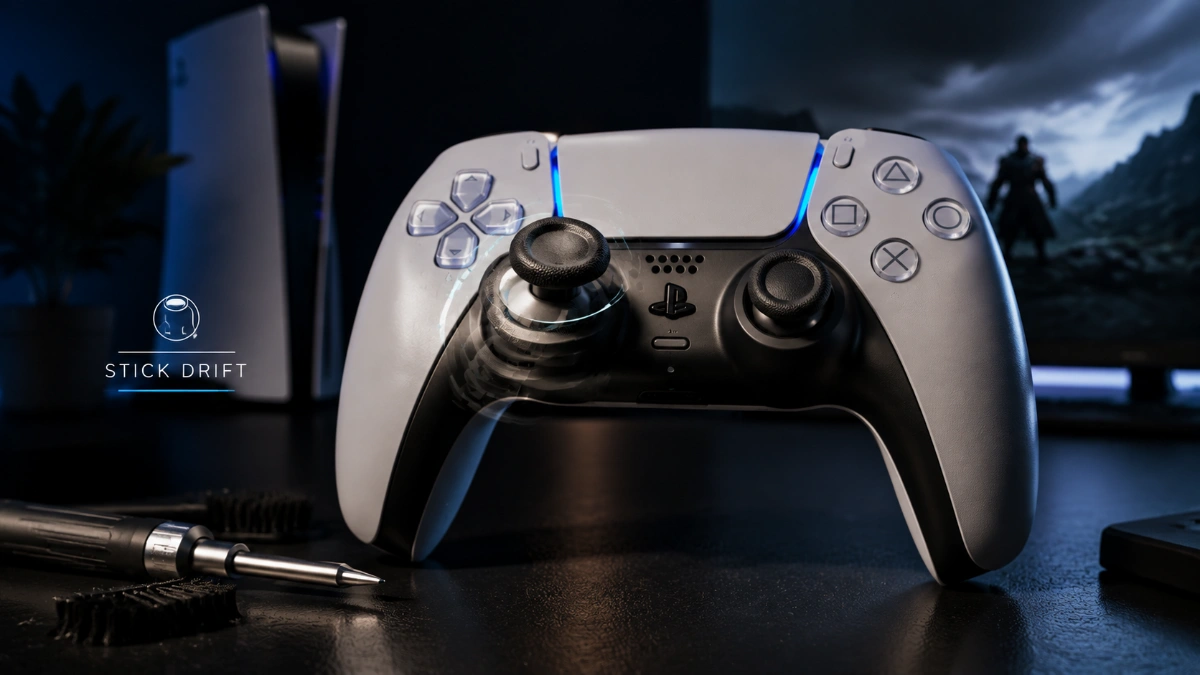

If your character moves by itself, a camera slowly turns, or a menu scrolls without touching the analog stick, PS5 controller drift is a likely explanation. But drift is a symptom, not a diagnosis. The same unwanted movement can come from a game setting, temporary controller trouble, contamination, physical damage, or a worn joystick module.
The safest approach is to start with the least invasive checks and move toward repair only when the evidence points to a hardware problem. Sony’s current DualSense support guidance recommends updating the controller software, resetting the controller if problems persist, and using PlayStation Repairs if troubleshooting doesn’t solve the issue.
How to tell if your PS5 controller is actually drifting
Before cleaning or opening the controller, confirm whether the problem follows the controller or appears only in a particular game.
Try the following:
- Test the affected stick in more than one game.
- Check whether the unwanted movement appears outside the original game.
- Note whether the left stick, right stick, or both are affected.
- Check whether the behavior disappears after reconnecting the controller.
- If available, test the controller with another compatible device.
- Check the game’s own deadzone or sensitivity settings.
This matters because a game can interpret small analog movements differently from another game. A problem that exists only in one title does not automatically prove that the physical stick is defective.
Symptoms that make hardware drift more likely
Persistent hardware trouble becomes more plausible when the same stick:
- moves without being touched in multiple games;
- continues doing so after a controller reset;
- remains problematic after software updates;
- repeatedly returns after a temporary improvement;
- produces the same unwanted direction or movement pattern.
That still does not identify the exact failed component. It simply gives you stronger evidence that the controller itself needs attention.
The PS5 controller drift fix ladder
Work through these steps in order. There is little benefit in opening a controller before trying the low-risk options.
| Step | Risk | Cost | What it can tell you |
| Check another game | None | Free | Rules out some game-specific causes |
| Reset DualSense | Very low | Free | Rules out some temporary controller problems |
| Update PS5/controller software | Very low | Free | Rules out outdated software-related issues |
| Check game deadzone | None | Free | Can compensate for mild unwanted input |
| Basic exterior cleaning | Low | Free/low | Removes surface contamination |
| Official service | Low to user | Varies | Appropriate for unresolved hardware problems |
| Internal joystick repair | High | Varies | Addresses a failed/worn module |
| Replace controller | Low | Varies | Ends the current controller’s repair cycle |
1. Reset the DualSense
Resetting the controller is one of the safest troubleshooting steps because it does not require opening the device.
Sony’s DualSense support instructions direct users toward resetting the controller when problems remain. After resetting, reconnect it to the PS5 with a USB cable and press the PS button to pair it again. Sony then directs users toward PlayStation Repairs if the problem continues.
A reset can resolve a temporary controller problem, but it is important not to interpret a successful reset as proof that a worn joystick has been physically repaired.
If the unwanted movement returns repeatedly, move on rather than resetting the controller over and over.
2. Update the PS5 and DualSense software
Sony says DualSense controller software updates are added through PS5 system software updates. You can also manually check the controller software under:
Settings → Accessories → Controller (General) → DualSense Wireless Controller Device Software
Sony also provides a PC-based update method for DualSense controllers.
Software updates are an important troubleshooting step, but they should not be presented as a guaranteed cure for physical joystick wear. An update can rule out software-related problems; it cannot be assumed to rebuild a mechanically worn component.
3. Check the game’s deadzone
A deadzone tells a game how much movement around the stick’s center should be ignored.
Suppose your stick produces a tiny unintended input when released. Increasing the game’s deadzone may prevent that small signal from moving your character.
That can be useful, but it is compensation rather than repair.
A larger deadzone can also reduce sensitivity to legitimate small movements. For competitive games, that trade-off may matter.
Most importantly, deadzone settings are generally controlled by the individual game. Do not assume that changing a setting in one title recalibrates the physical stick for every game.
4. Clean the controller carefully
Keeping a DualSense clean is sensible, but many online guides oversimplify the role of cleaning.
Sony’s DualSense manual advises keeping the controller and connectors free of liquid, excess dust, and small particles and warns against using alcohol, solvents, and other chemical cleaning products as part of routine care.
Therefore, do not treat “spray 90% alcohol into the stick” as an official Sony recommendation.
Basic maintenance should be conservative:
- Disconnect the controller.
- Keep liquids away from openings and connectors.
- Remove visible exterior dust and dirt using appropriate dry cleaning methods.
- Do not flood the analog-stick opening with a liquid.
- Allow the controller to remain disconnected if any liquid has accidentally entered it.
There is an important distinction here: third-party repair guides may use isopropyl alcohol during internal repair, while Sony’s consumer manual does not recommend alcohol for routine DualSense cleaning. iFixit’s V1 drift guide, for example, describes internal cleaning with high-concentration isopropyl alcohol after opening the controller.
Those are different situations and should not be presented as the same procedure.
5. Understand when cleaning is no longer enough
If cleaning changes the behavior briefly and the problem keeps returning, do not assume that more cleaning will eventually restore the controller.
A standard DualSense joystick module contains potentiometers. iFixit’s repair documentation explains that persistent drift is commonly associated with a worn joystick module and that replacing the module is an involved soldering repair.
The practical distinction is:
Contamination may affect the symptom.
Wear can affect the sensing component itself.
Cleaning can address the first situation. It cannot be assumed to reverse the second.
When should you stop troubleshooting and seek repair?
A good stopping point is when all of the following are true:
- the same stick drifts across multiple games;
- the controller has been reset;
- PS5 and controller software are current;
- game-specific settings have been ruled out;
- the problem continues consistently.
At that point, repeatedly changing settings has diminishing value.
If the controller may still be covered by a regional warranty or guarantee, check Sony’s terms before opening it. Sony’s published India guarantee terms, for example, state that unauthorized opening, alteration, or repair can affect guarantee eligibility. The exact terms differ by product and market, so use the applicable regional documentation.
Standard DualSense repair is not a simple stick swap
For a standard DualSense, replacing a joystick module is a significantly more advanced job than replacing a DualSense Edge module.
iFixit’s current repair guide describes the standard DualSense joystick replacement as requiring intermediate soldering skills, with difficult desoldering involved. The guide also documents multiple solder connections securing the joystick assembly.
That makes DIY repair most appropriate for someone who already understands electronics repair.
If you have never soldered before, the low price of a replacement joystick does not tell you the true cost of the repair. A damaged circuit board can turn a manageable drift problem into a nonfunctional controller.
Check your controller model before buying a replacement part
This is an overlooked repair detail.
Sony provides model-number information for DualSense controllers, and different internal revisions exist. The model number is printed on the rear of the controller, while Sony also provides a software method for viewing the serial number.
iFixit’s replacement-part documentation likewise identifies compatibility by controller revision and motherboard.
So do not buy a joystick module solely because a listing says “PS5 DualSense compatible.”
Check the exact controller revision first.
DualSense Edge is different.
The DualSense Edge changes the repair equation because Sony designed it around replaceable stick modules.
Sony’s instructions allow the user to release the module, remove it, and install a replacement. The left and right stick modules are interchangeable.
That does not mean the Edge is immune to drift.
Its advantage is modularity.
A standard DualSense may require substantial disassembly and soldering to replace the internal joystick. The Edge lets you replace its stick module without performing that soldering procedure. iFixit has also noted that the Edge’s modules remain potentiometer-based, so modularity should not be confused with drift immunity.
Repair, replace, or keep using a deadzone?
Use this decision framework:
| Your situation | Most sensible route |
| Drift occurs in only one game | Check that game’s settings |
| Drift disappears after reset | Monitor the controller |
| Controller is potentially covered | Check official service first |
| Older controller has only stick trouble | Compare repair vs replacement |
| You and Standard DualSense can solder | DIY repair may be reasonable |
| No electronics experience | Professional repair is safer |
| Several controller components are failing | Replacement may make more sense |
| You want easier future stick replacement | Consider DualSense Edge |
| You want to avoid traditional potentiometer wear | Research reputable Hall-effect/TMR alternatives |
There is no universal “best fix.” The right choice depends on the controller’s age, condition, warranty status, repair skills, and expected future use.
Read more: PS5 Controller Drift: Safe Fixes From Diagnosis to Repair
How to reduce the chance of recurring drift
No maintenance routine can guarantee that a mechanical joystick will never wear.
You can, however, reduce avoidable stress and contamination.
Keep the controller:
- dry;
- away from food and drinks;
- away from excessive dust;
- protected from drops and impacts;
- stored somewhere clean when not in use.
Follow Sony’s handling and cleaning guidance rather than assuming that every popular internet cleaning trick is appropriate.
Do not repeatedly force the stick against its mechanical limits simply because an online guide claims that aggressive “stick exercise” prevents drift. There is not enough authoritative evidence to present a fixed rotation routine as proven preventive maintenance.
Frequently Asked Questions
What causes a PS5 controller to drift?
Persistent unwanted input can result from several things, but wear in the potentiometer-based joystick module is a common cause of persistent drift in a standard DualSense. Contamination, physical damage, moisture, and software or game-specific behavior can also contribute.
Can a reset permanently fix controller drift?
A reset can resolve some temporary controller problems, but you can’t assume it will repair a mechanically worn joystick. Sony recommends resetting as part of troubleshooting before moving to its repair pathway.
Can a deadzone fix stick drift?
A larger deadzone can hide mild unwanted movement by telling a game to ignore small inputs around the center. It does not physically repair the joystick.
Should I clean my DualSense with isopropyl alcohol?
Sony’s consumer manual does not recommend alcohol for routine DualSense cleaning. Some third-party repair procedures use high-concentration isopropyl alcohol after the controller has been opened, but that is a technical repair procedure rather than Sony’s standard cleaning guidance.
How do I know whether the problem is the controller or the game?
Test the same controller in another game. If the behavior appears across multiple games, the controller becomes a stronger suspect. If it occurs only in one title, investigate that game’s dead zone and sensitivity settings first.
Is a drifting DualSense worth repairing?
It can be, especially when the rest of the controller is in good condition, and you have access to an affordable,e skilled repair. If the controller has multiple aging components, replacement may offer better overall value.
Can I replace a standard DualSense joystick myself?
Yes, but it is an advanced repair. iFixit’s current guides describe the replacement as requiring soldering and difficult desoldering work.
Can I replace a DualSense Edge stick module myself?
Yes. Sony provides a user procedure for removing and replacing the Edge stick module, and the left and right modules are interchangeable.
Does buying a new DualSense guarantee no future drift?
No. A new controller resets the current controller’s wear, but it does not guarantee that a conventional mechanical joystick will never develop problems in the future.
When should I stop trying free fixes?
Stop when the same drift persists across games after a reset and current software, particularly if the problem repeatedly returns after temporary improvements. At that point, compare official service, professional repair, and replacement rather than endlessly repeating the same workaround.
Final Verdict
PS5 controller drift should be approached as a diagnosis-and-decision problem, not a single cleaning trick.
Start with the game, reset, and software checks. Use deadzone adjustments only as a workaround for mild unwanted input. Keep routine cleaning conservative and follow Sony’s care instructions. If the same stick continues drifting across games after those steps, a hardware problem becomes much more plausible.
For a covered controller, check official service before opening it. For an older standard DualSense, professional repair or a properly performed joystick replacement can make sense. For a DualSense Edge, the replaceable module makes future stick repairs substantially easier.
The most important rule is simple: do not confuse a workaround with a repair. A dead zone can hide unwanted input. A reset can troubleshoot. Cleaning can address contamination. A failed joystick module requires an appropriate hardware solution.